The day-to-day,
in one place.
Kache Register brings POS, inventory, billing, customer records, reporting, payments, and industry workflows into one modular platform built around how your business actually runs.
Start with one module. Add more when you're ready.
See the work in one place
The whole operation, on one screen.
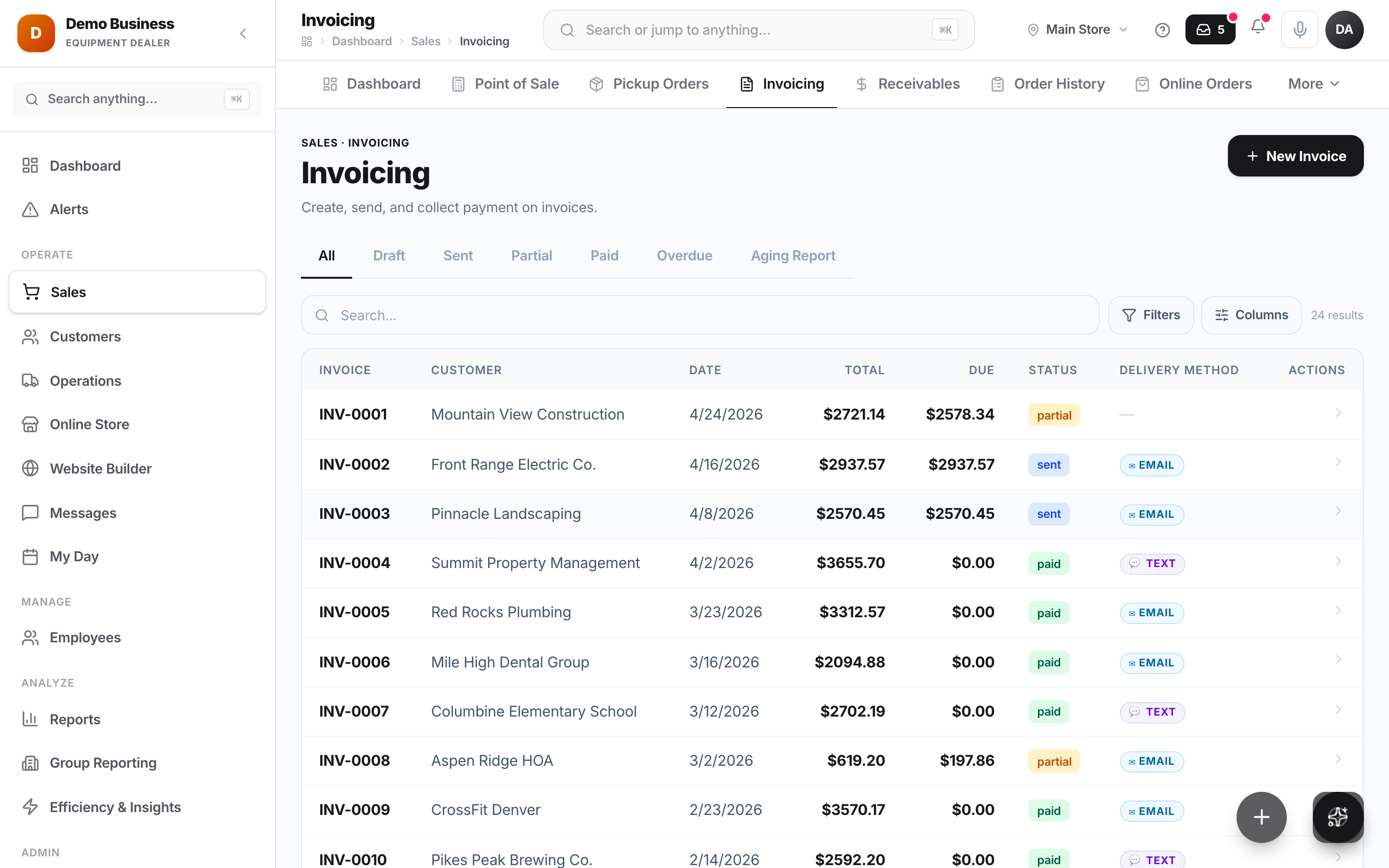
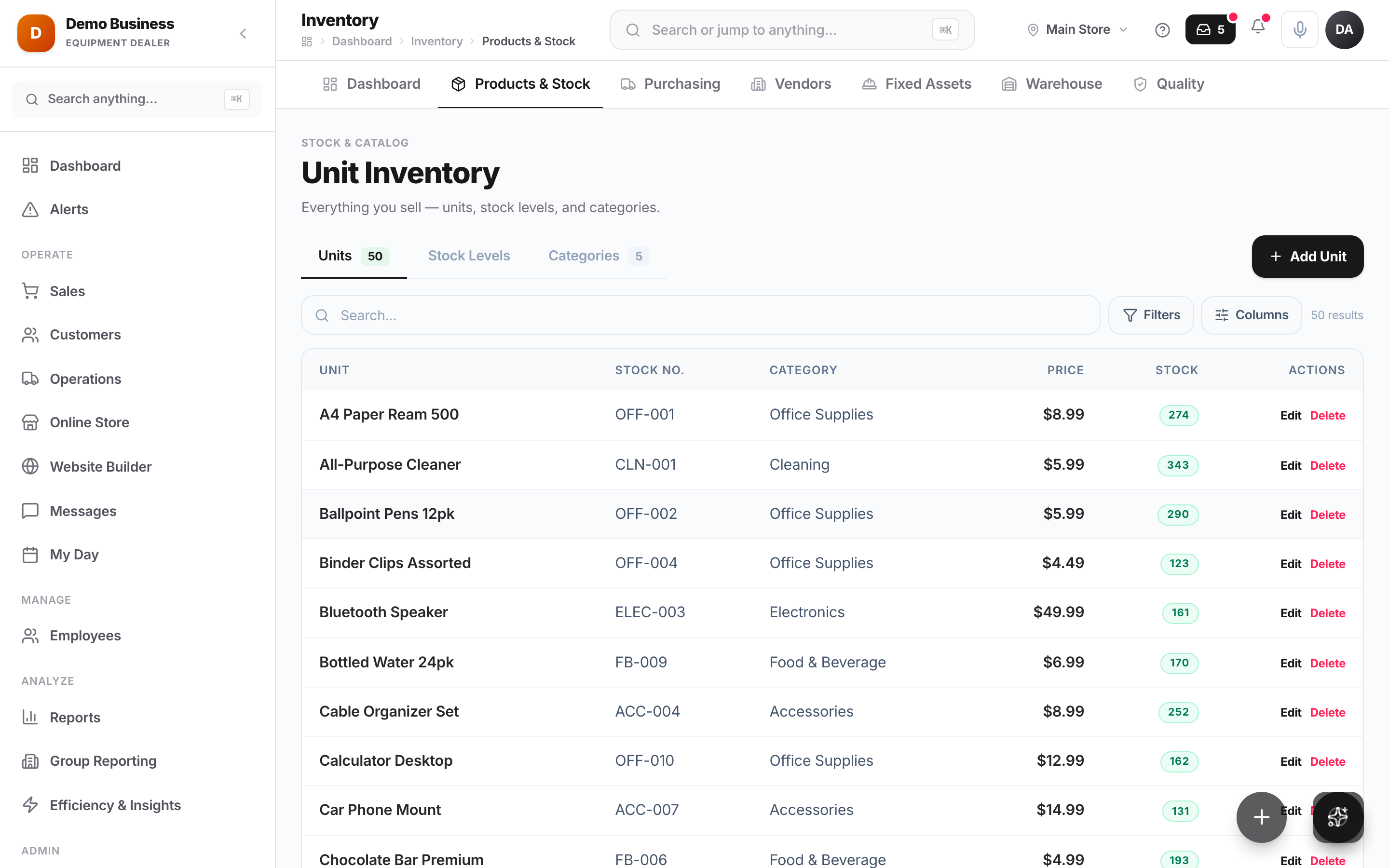
Checkout, the workflow board, and the reports your team lives in — all the same platform, all the same data.
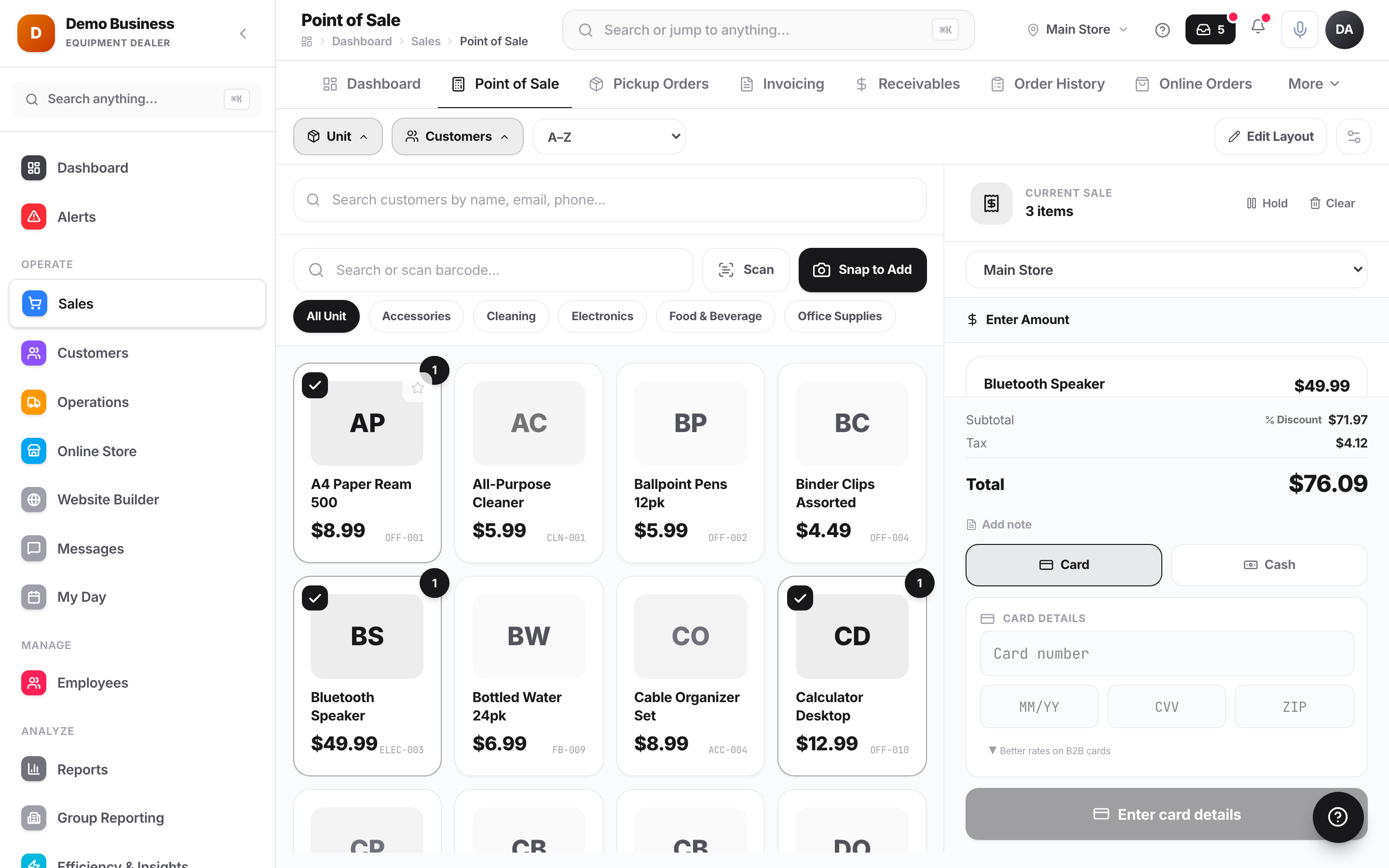
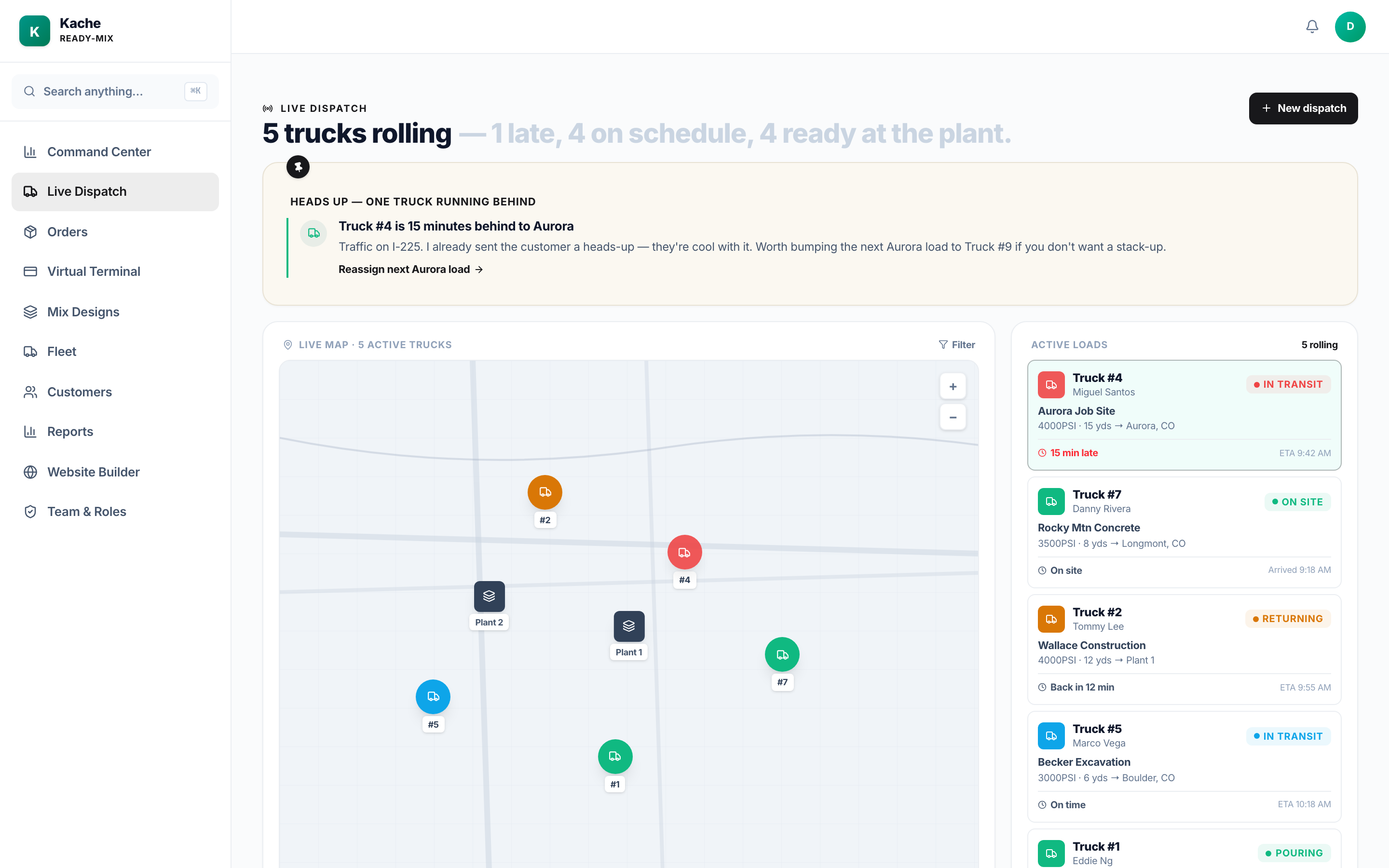
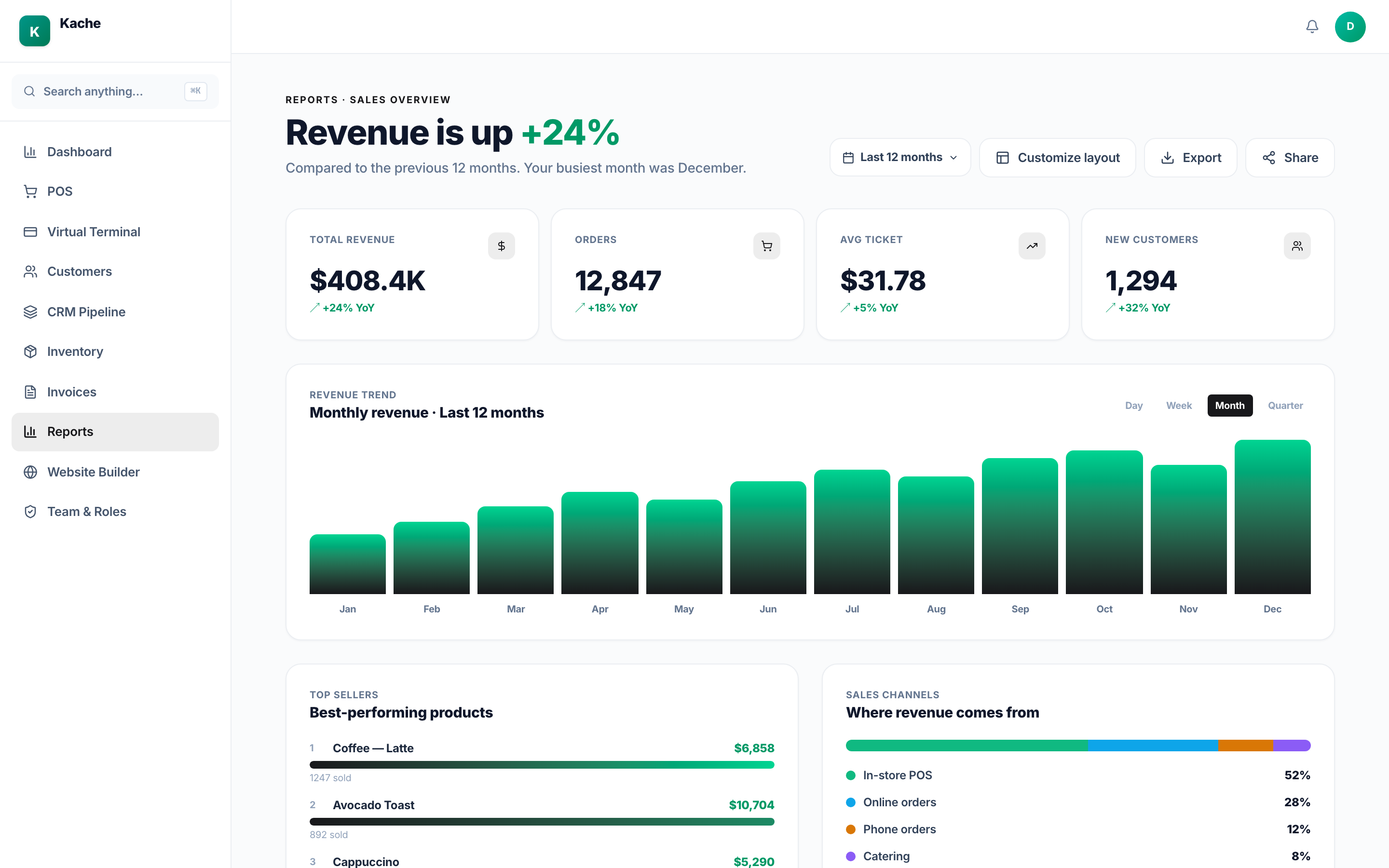
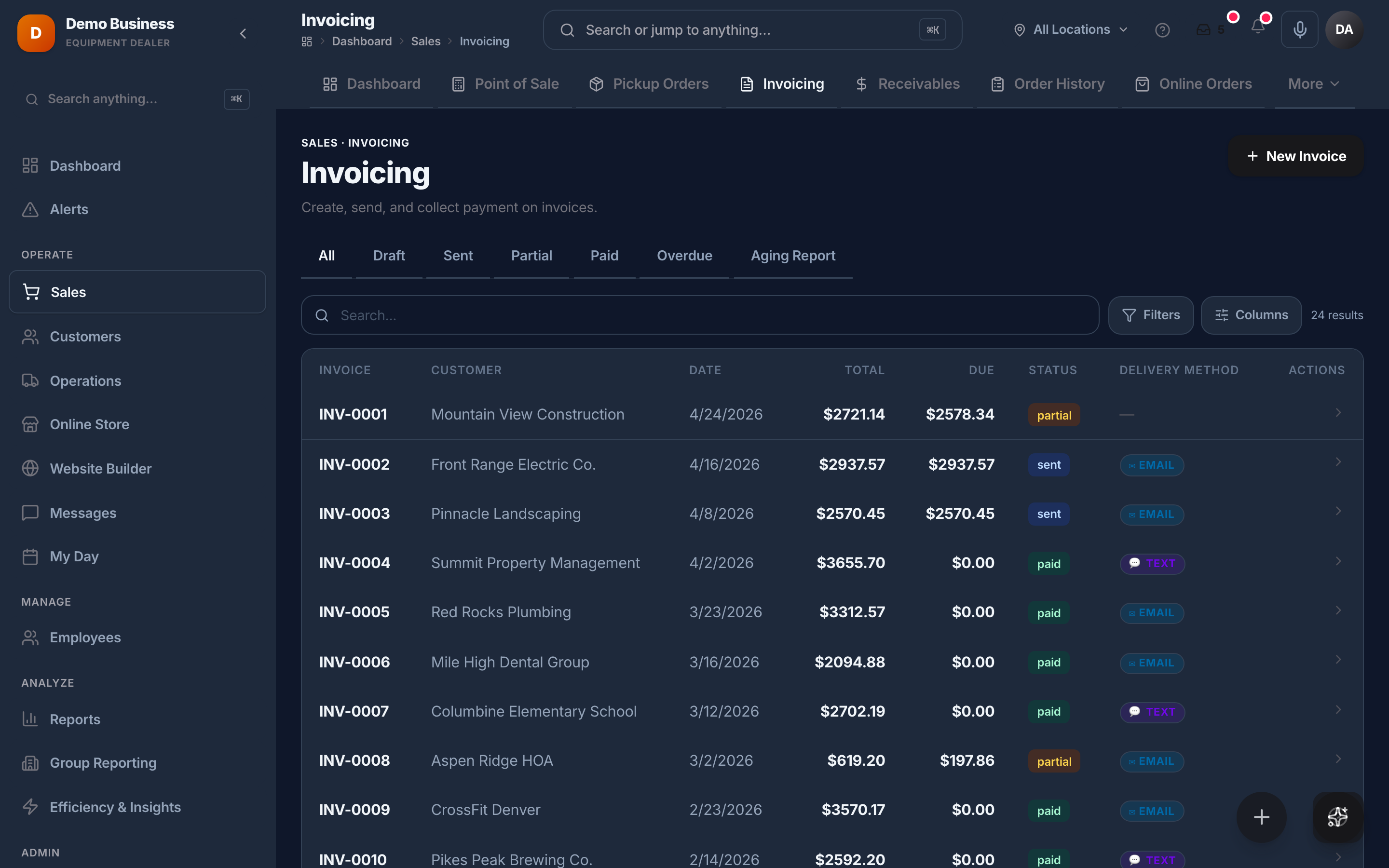
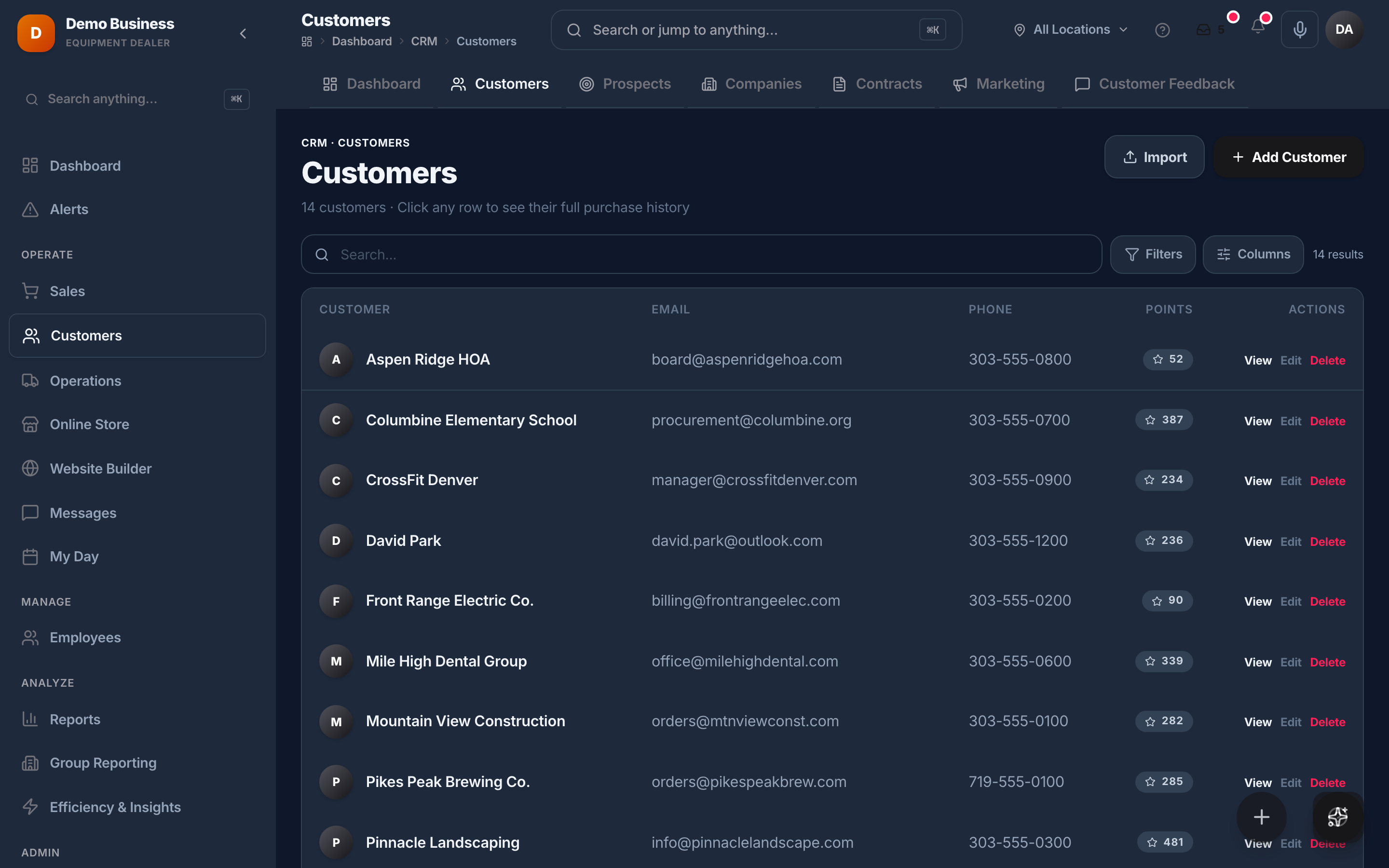
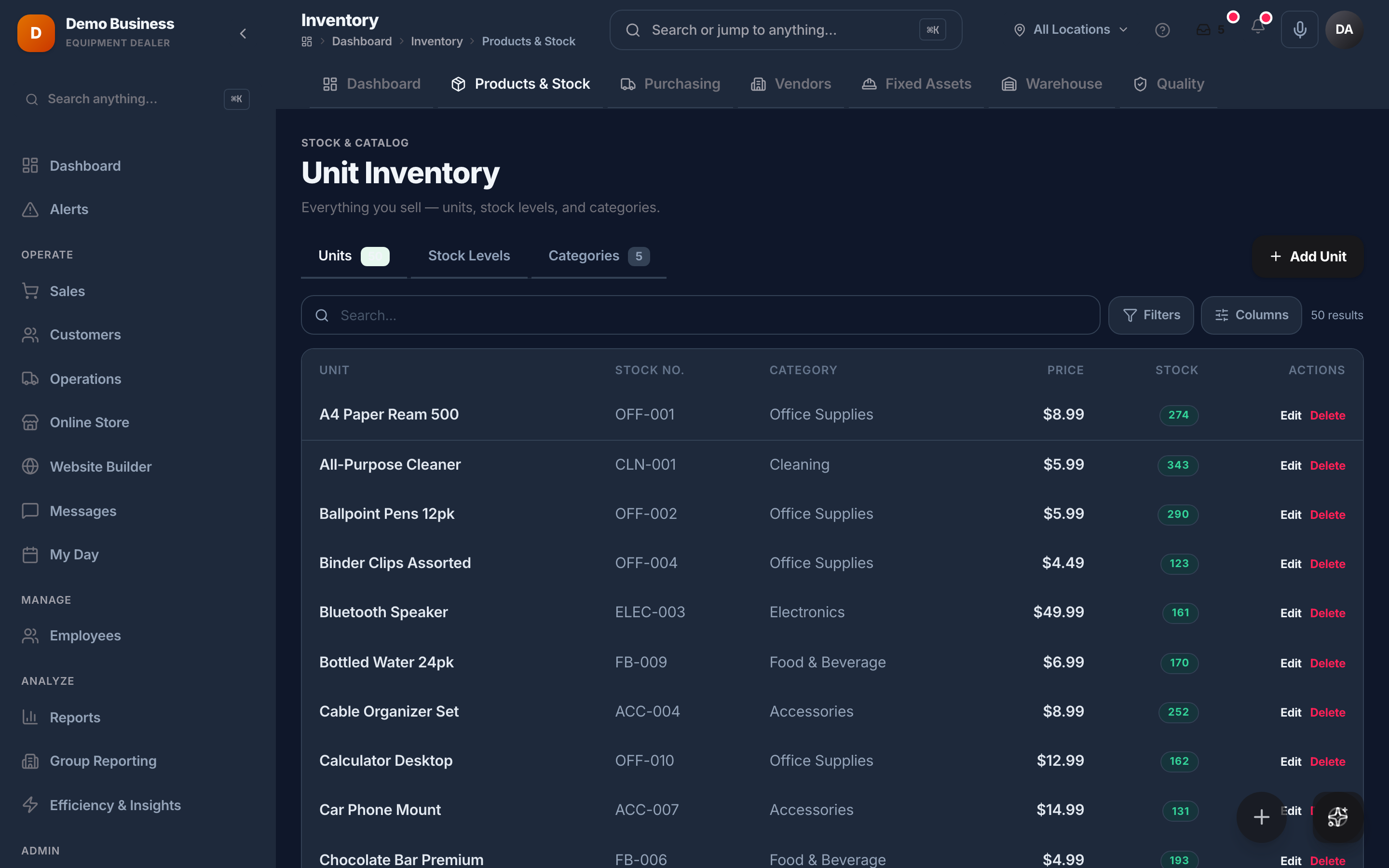
One login, the whole business
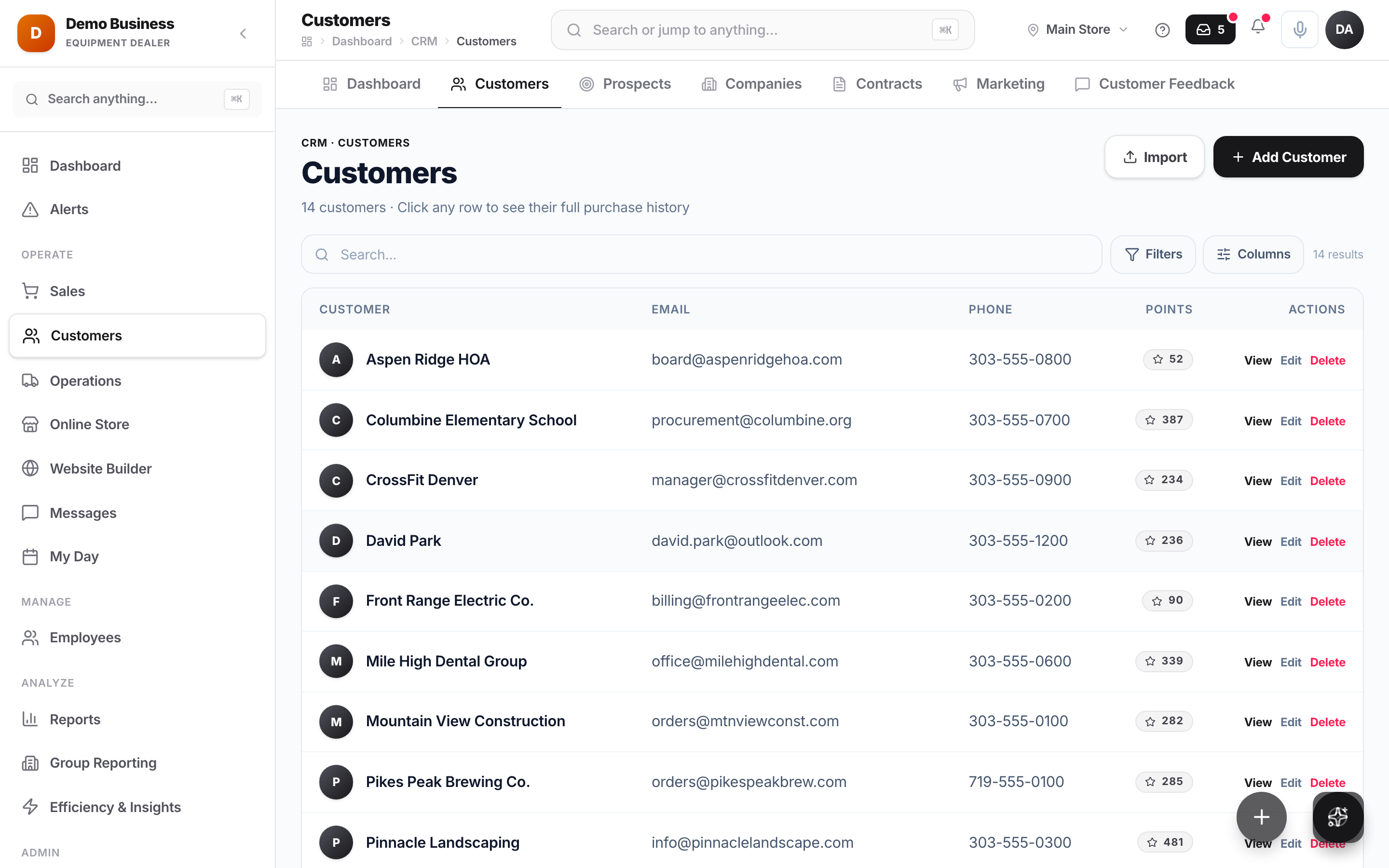
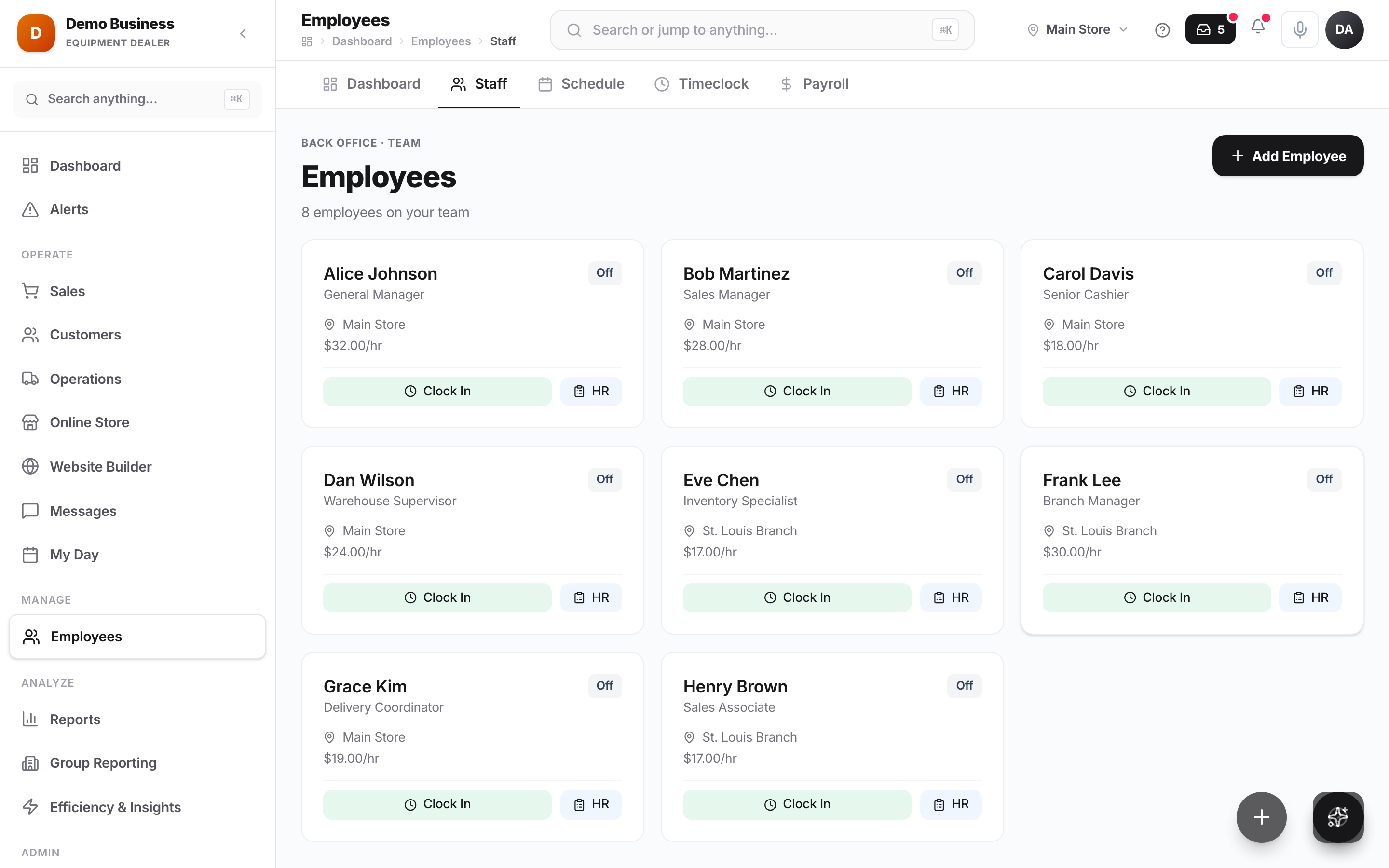
Every part of the operation, already connected.
Customers, invoicing, inventory, your team — same platform, same data, nothing to stitch together. Switch to dark whenever you want.
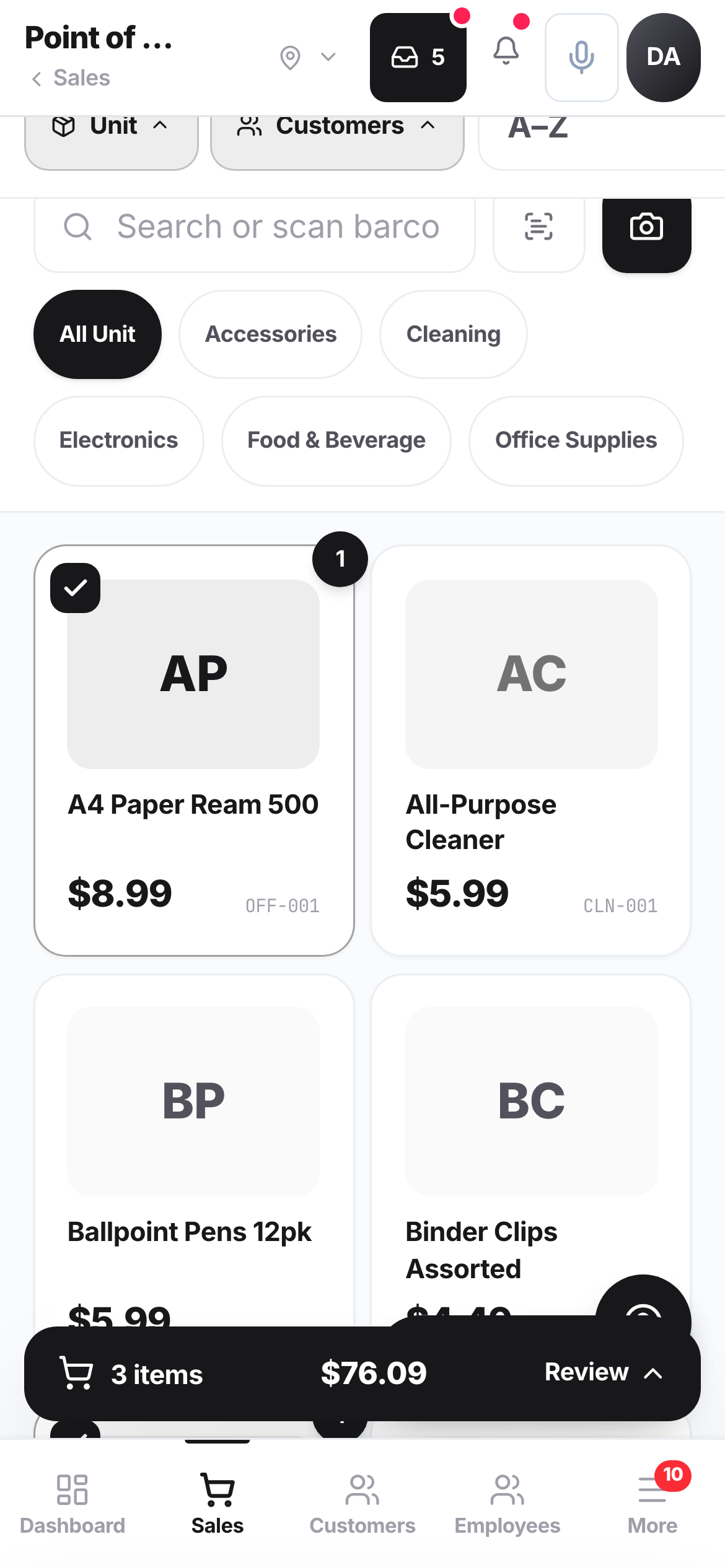
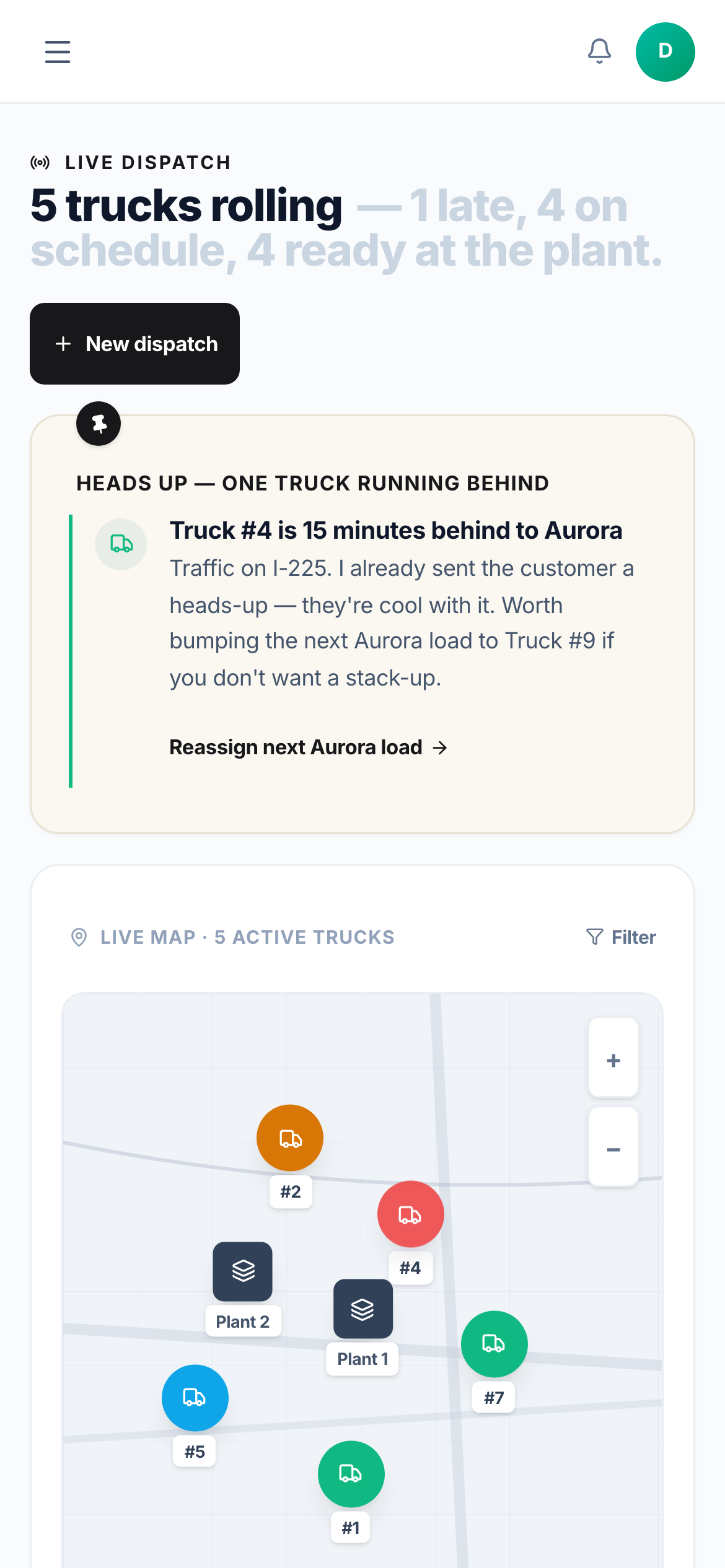
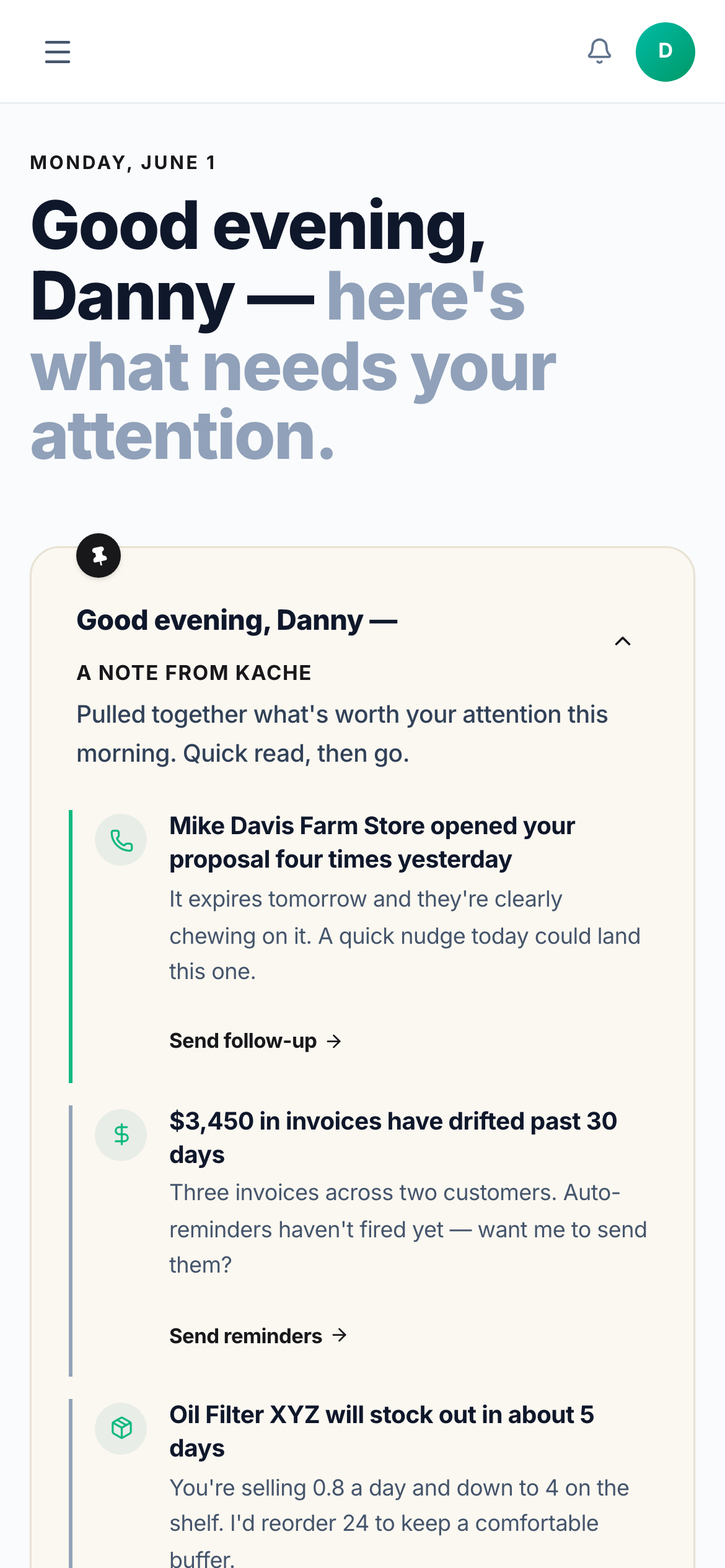
In your pocket
The whole shop, on your phone.
The same Kache — ring up a sale, run the board, check the numbers — right from the app, wherever the work is.
Make it yours
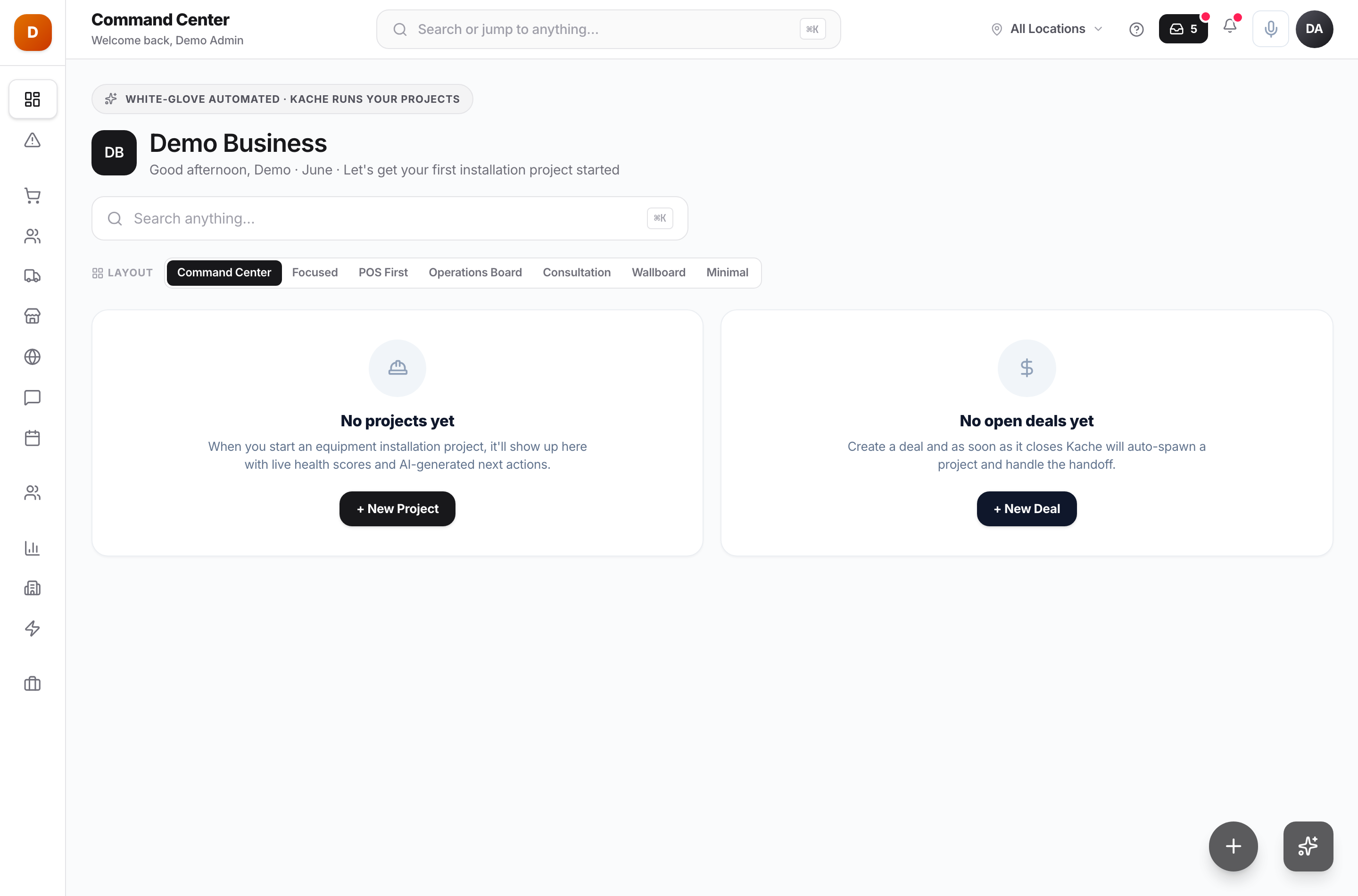
Set up the way your business — and each person — works.
Pick the navigation, the dashboard layout, the vibe, light or dark. Admins set smart defaults per role and industry; everyone can fine-tune their own.
Choose your navigation
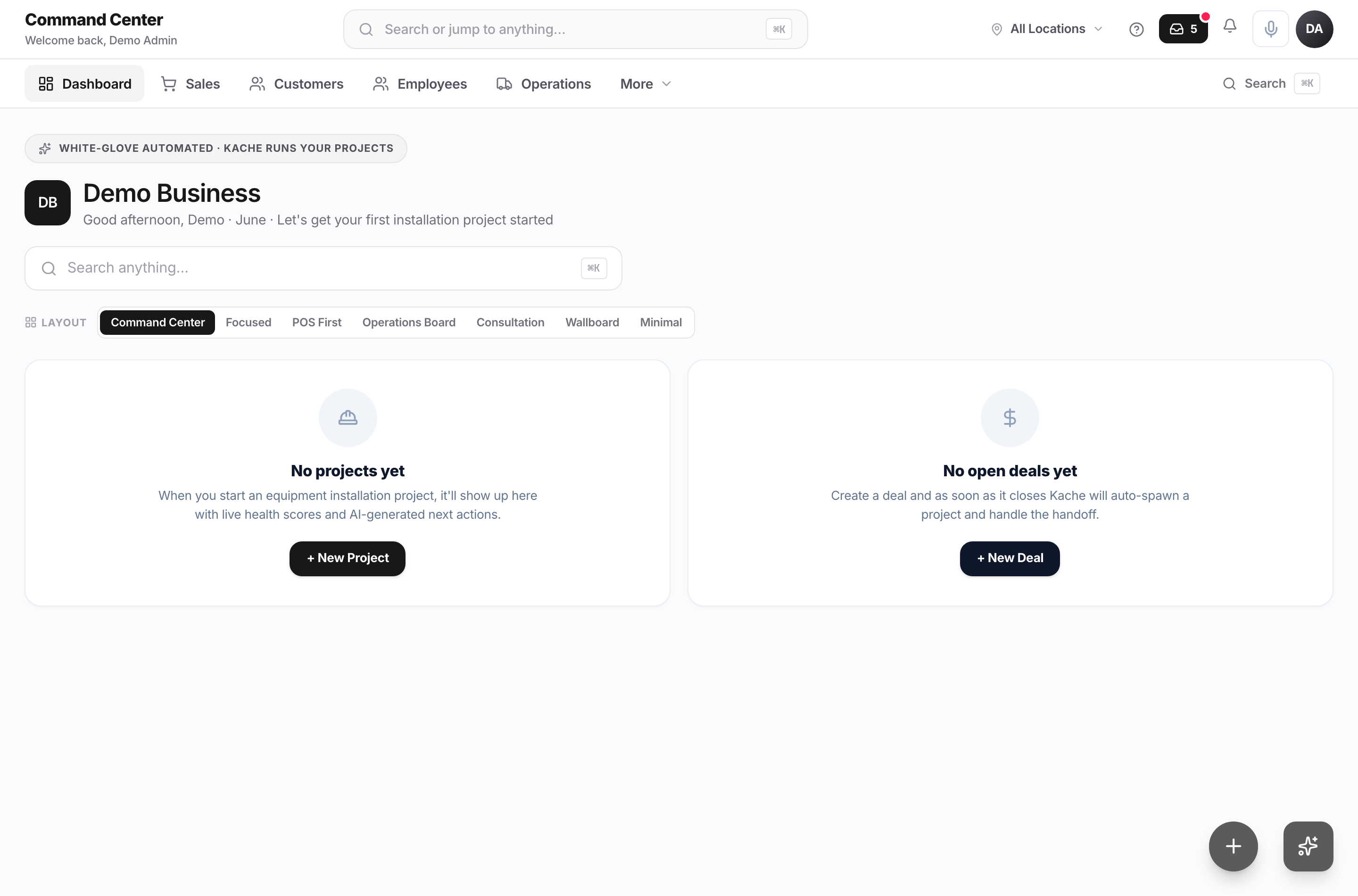
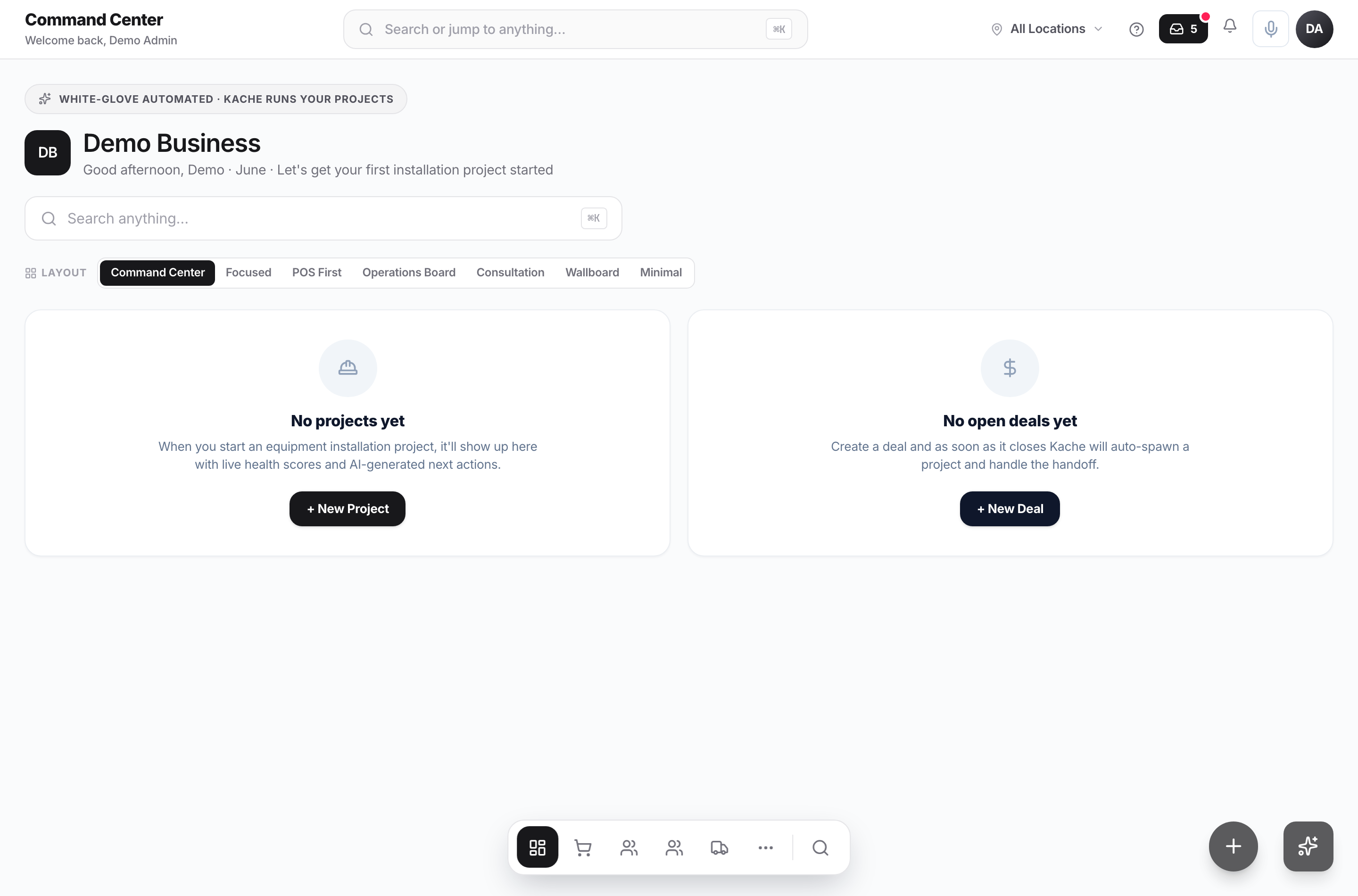
Light or dark — your call
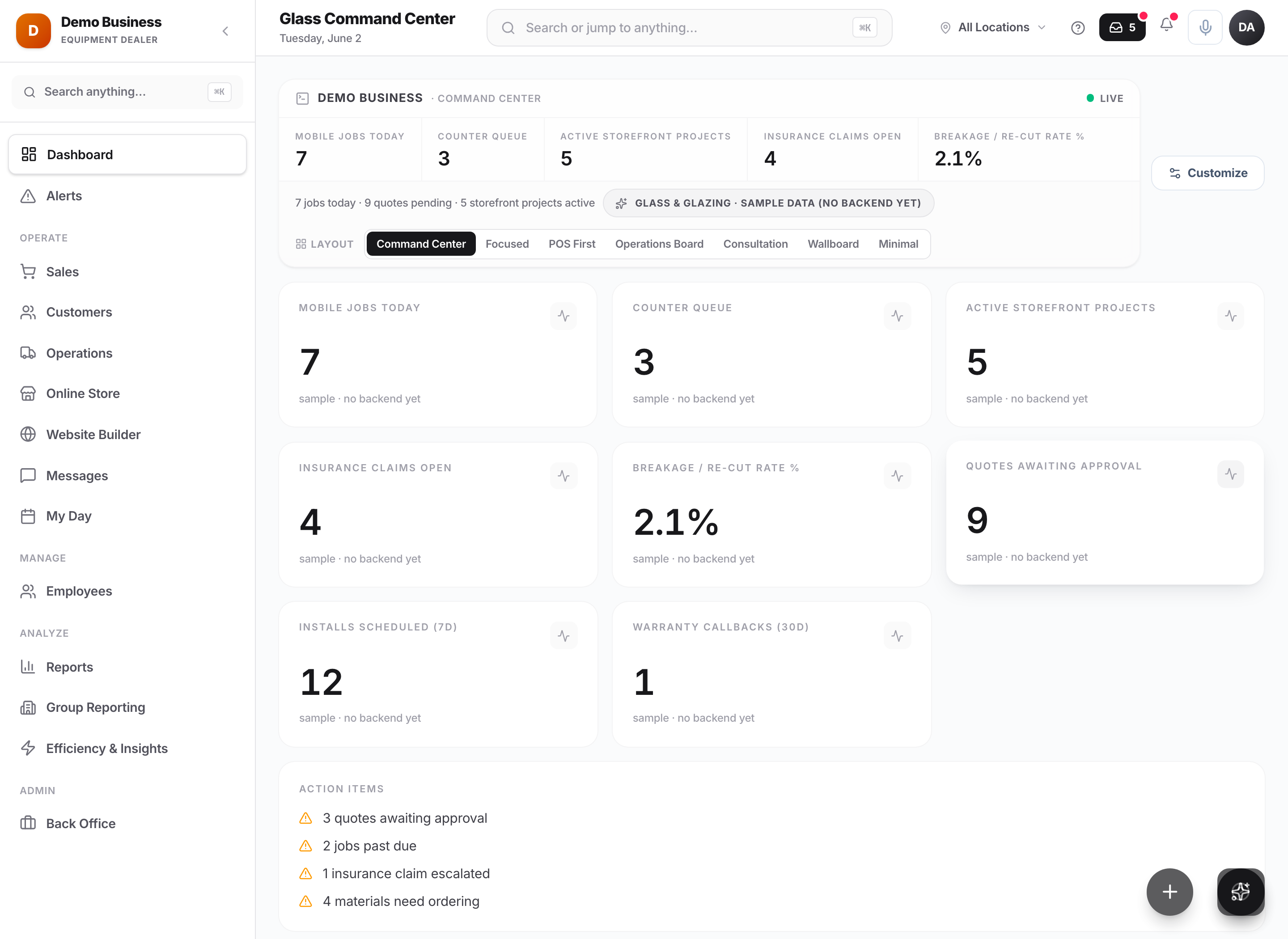
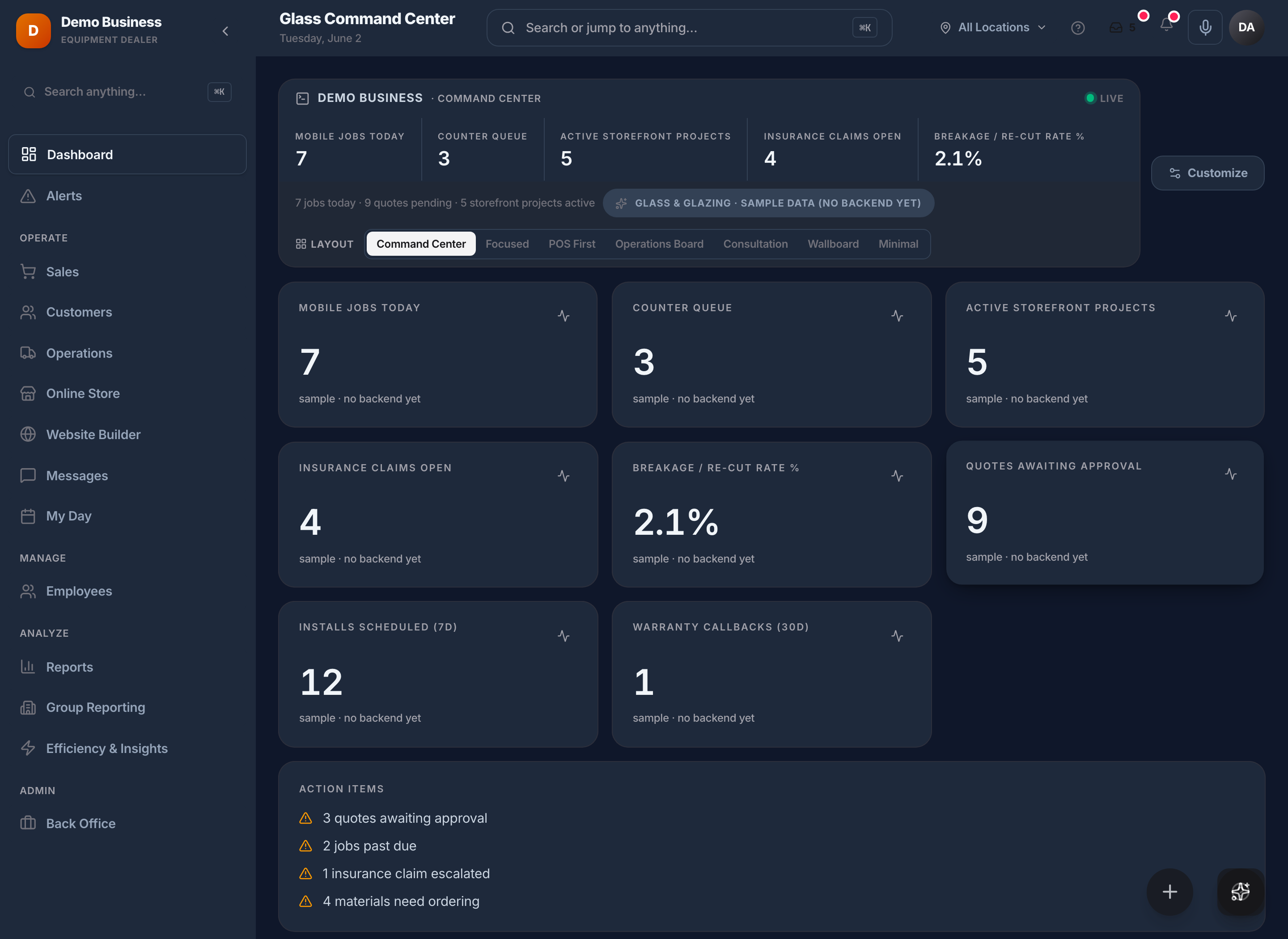
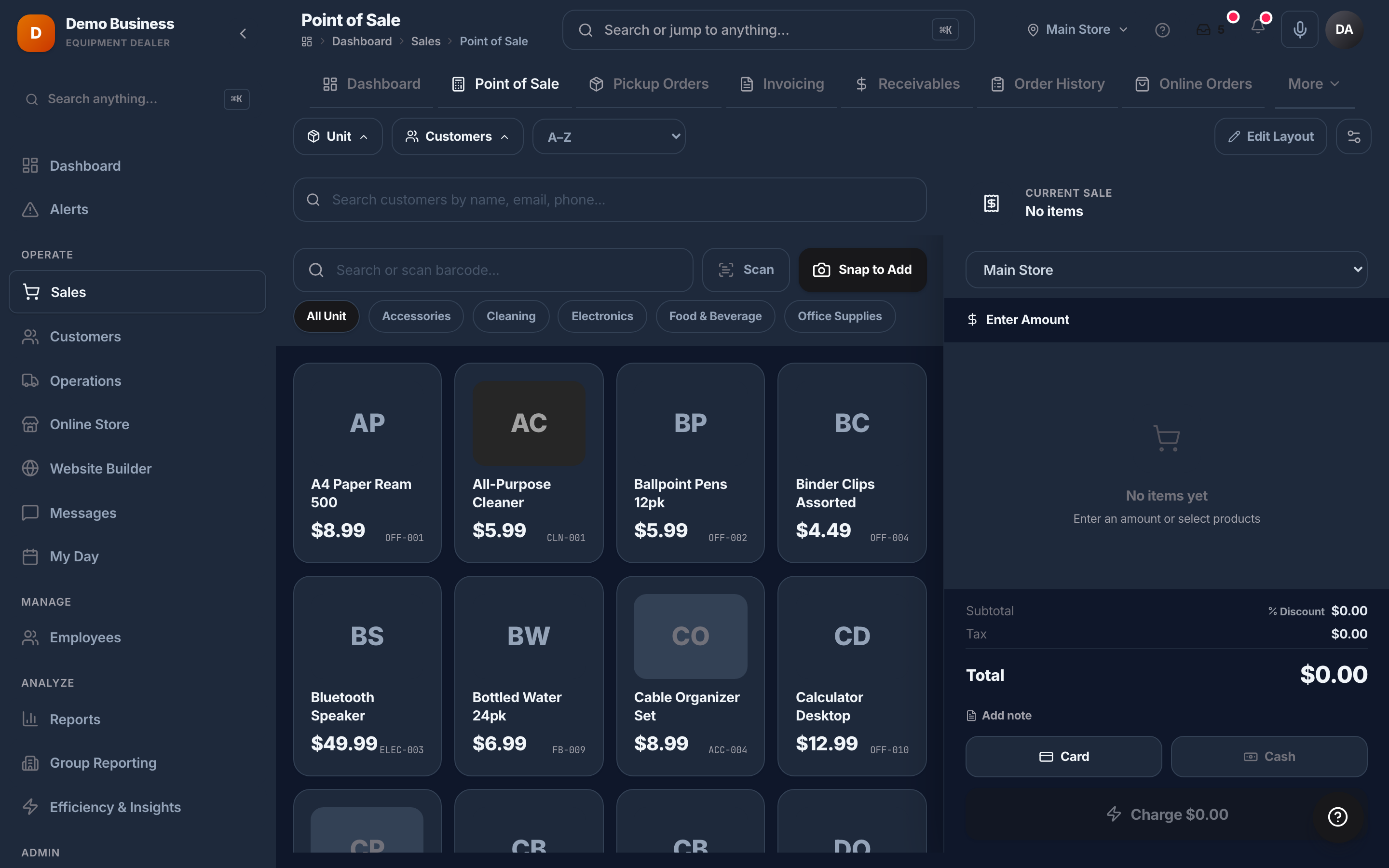
Just as sharp in the dark
One tap to dark mode.
Every screen, fully themed — easy on the eyes on the sales floor, the plant, or a late night closing the books.
One system, not ten
We looked at your whole business — then built one system to run it.
Register, inventory, CRM, billing, payroll, payments — the work you're spreading across a stack of subscriptions and double-entry, in one place built for your industry. A fraction of what all those tools cost together.
What's inside
Point of Sale
Fast, modern checkout with built-in payments, loyalty, and gift cards.
Inventory
SKUs, variants, transfers, low-stock alerts — built in.
CRM & Invoicing
Customer profiles, invoicing, payments, and follow-up flows.
Reports & Answers
See real-time dashboards, owner summaries, and plain-English answers across your business data.
Industry depth
Modules built for the work you actually do.
Generic POS systems stop at the register. Kache Register keeps going — into the specific workflows your industry runs on every day.
Browse all 36 industries
- Ready-Mix ConcretePlant-to-pour on one platform
- Farm Equipment DealersSell, service, and finance big iron
- Equipment Dealers (General)One platform for every unit on your lot
- Material Handling DealersForklifts, rentals, service, parts — one system
- Nursery & Garden CenterPlants, people, and places — tracked
- Marine & Boat DealersSales, service, slips — integrated
- Retail & RestaurantFast, modern POS for any storefront
- Hair Salon & Barber ShopBooked, checked out, and rebooked
- Med Spa & AestheticsInjectable lots, charts, and memberships on one platform
- Veterinary ClinicsPatients, exam rooms, and the day's schedule in one chart
- Dental & OrthodonticsChair schedule, procedures, and patients in one console
- Tattoo & Piercing StudiosFlash gallery, artist calendars, and bookings in one studio
- Funeral HomesEvery case from first call to final statement
- CemeteriesPlots, interments, and pre-need on one map
- Pet GroomingFill every chair, vaccinations verified
- Pet Boarding & DaycareOccupancy, vaccinations, and the booking that closes itself
- Sign & Graphics ShopsDescribe the sign, get a quote, lock the proof
- Screen PrintingArt to quote, size run to press
- Embroidery & PromoLogo to quote, blank to box
- Commercial PrintersOne board from quote to delivered
- Tire DealersSell, register, and service every tire — one counter
- Bike ShopsCounter, service lane, and tune-up memberships in one shop
- Powersports DealersLot, deal desk, and margin guard for moto, ATV, UTV, PWC, and snow
- RV DealersLot, F&I, and a service department that doesn't lose weeks to warranty
- Plumbing SupplyContract pricing that actually shows up at the counter
- Dental SupplyCatalog, accounts, and lot/UDI traceability on one board
- Jan-San / Janitorial SupplyReorders and SDS on every chemical line
- Auto PartsA counter that only shows parts that fit
- Truck Equipment & UpfittersChassis to delivery on one build board
- Dental LabsEvery case from impression to shipped
- Charity Auctions & GalasLots, paddles, and the goal — one night, one screen
- Residential Waste HaulingSubscriptions, billing, and the day's route — one back office
- Feed & Farm SupplyCompliance built into the counter, not the binder
- Lumberyard & Building MaterialsTake-off to ticket to delivery, on one unit-aware thread
- Fire Protection & InspectionOne suite, month-to-month, with compliance on autopilot
- Event & Wedding VenuesA public availability calendar, self-serve holds, and deposits at your own rate
- + many more — find yours
Why operators switch
Built by someone who's been on the other side of the counter.
Kache was built because the tools small businesses inherit are bad. Slow software, dated UI, nickel-and-dime pricing, and integrations held together with tape. We decided to fix the whole stack, not one piece of it.
Read the story →One platform, one login
Everything lives in one system. No duct-taped integrations.
Honest pricing
Priced to what you actually use — no surprise fees, no nickel-and-diming.
Industry-aware
The software speaks your industry's language — not generic SaaS-speak.
Real support
Real people who know the product — fast answers, not a ticket queue.
How a demo works
What happens in a Kache demo?
No canned slide deck. We start from how your business runs today and show you only what fits.
- 1
We ask how your business runs today
- 2
We walk through the workflow that matters to you
- 3
We show the modules that fit your operation
- 4
We explain what setup would look like
- 5
We give you clear pricing based on what you need
See it in action.
Book a 20-minute demo tailored to your industry. No slides — we'll walk your actual workflow on a live environment.